


Frequency separation. Photoshop
Retouching
Adobe Photoshop

Want the materials from this tutorial or need more explanation? Message me on Instagram.
Have questions?
Adding natural eyelashes. Photoshop
Thoughts about blurry skin
I see overly smooth, blurry skin as a sign of poor-quality retouching. It can be done quickly with tools like the Mixer Brush, but the result often comes at the cost of natural skin texture.
When the skin is blended too much, pores disappear, shadows become muddy, and the face can start to look flat and artificial. Instead of cleaning the image, this technique often creates new problems — especially in areas with natural shadows and transitions.
When the skin is blended too much, pores disappear, shadows become muddy, and the face can start to look flat and artificial. Instead of cleaning the image, this technique often creates new problems — especially in areas with natural shadows and transitions.
Good retouching is always about preserving the skin. Texture, imperfections, shadows, and highlights should be treated separately and carefully.
For this, I usually work with Frequency Separation and Dodge & Burn — techniques that allow much more control over texture, tone, and light without destroying the natural structure of the skin. Today, we also have the option of using AI-powered plugins, which can speed up certain parts of the process, but they still require careful control and a good understanding of retouching.


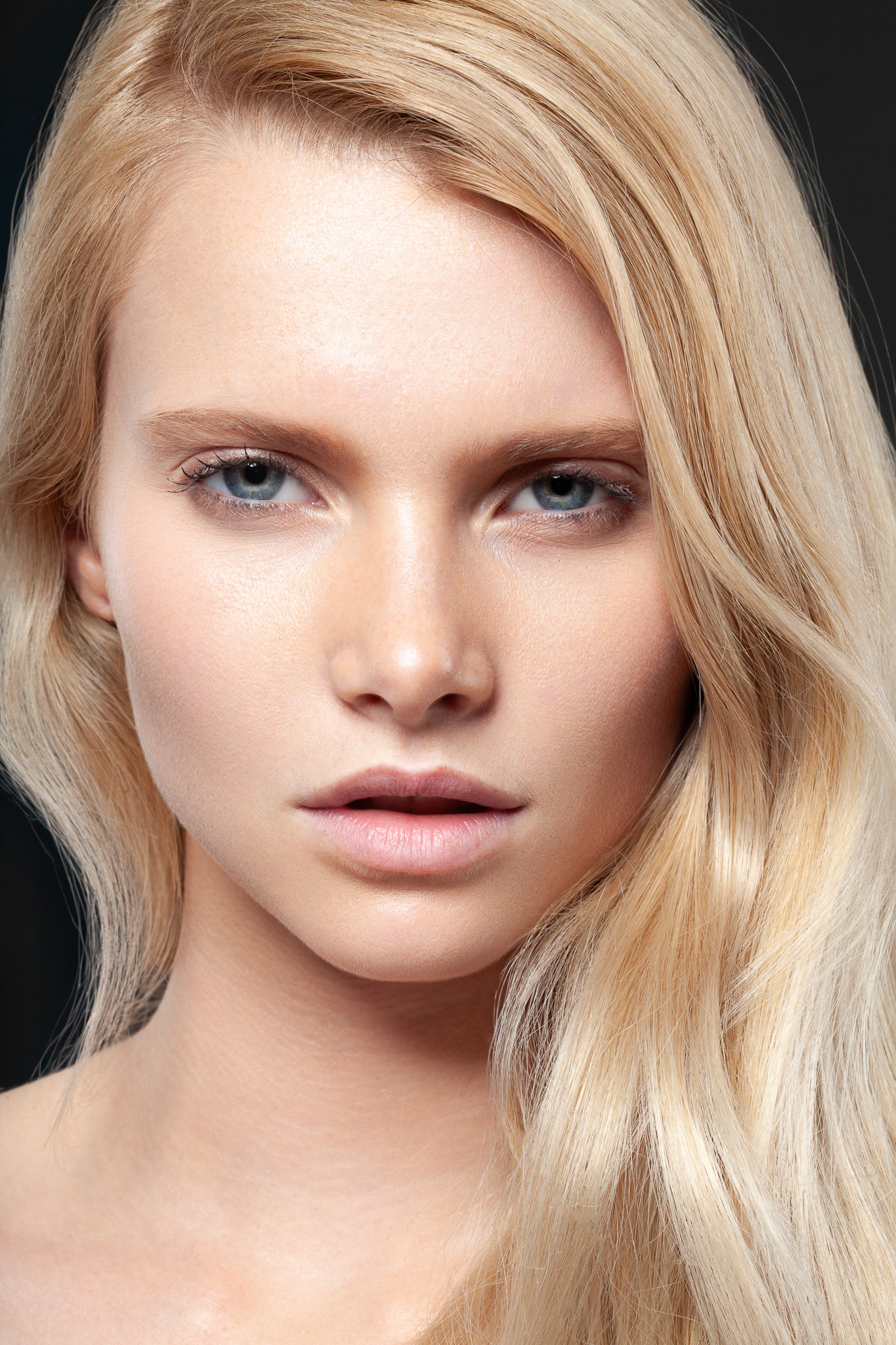
Keep experimenting, practice consistently, and develop a style that is uniquely yours. Happy retouching!
Photo by Stefan B
Retouch by @ilinskaia.art
Retouch by @ilinskaia.art