Frequency separation. Photoshop
AI plugin
Retouch4me
Colorization
Adobe Lightroom

Retouching
Adobe Photoshop

Want the materials from this tutorial or need more explanation? Message me on Instagram.
Have questions?
Adding natural eyelashes. Photoshop
If you haven’t mastered Dodge & Burn and Frequency Separation yet, or simply don’t have time to spend hours retouching every portrait by hand, Apex can be a real lifesaver.
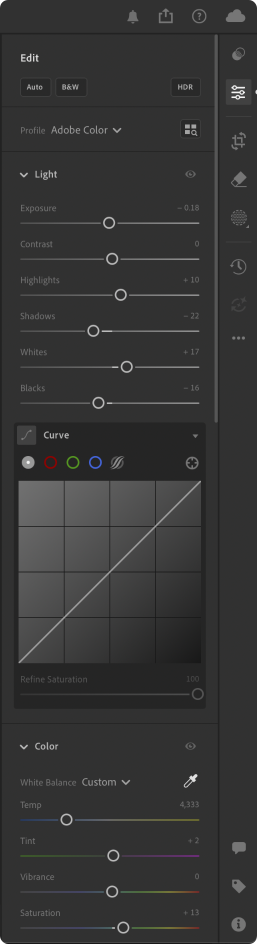
I start by opening the image in Lightroom, where I make basic adjustments to the White Balance and Light settings. You can see my settings in the screenshot on the right, but feel free to adjust the colors and tones to match your own style.


Open the image in Photoshop directly from Lightroom, then launch the Apex plugin (available at retouch4.me). Adjust the settings until you achieve the level of retouching that best fits your image.
This is the final step. I use Photoshop's built-in Generative Fill (powered by Adobe Firefly) to remove distracting elements and refine the hair with the Lasso Tool.


Keep experimenting, practice consistently, and develop a style that is uniquely yours. Happy retouching!
Photo by Stefan Bourson
Retouch by @ilinskaia.art
Retouch by @ilinskaia.art